Tag: Unity

Autonomous Odyssey: Kickstarter Launched!

Today’s the day! Check out some snippets from the Autonomous Odyssey Kickstarter below, then head over to the full Kickstarter page for more info and to back the project! It has been a blast working with the team at SunOracle Games and I’d love to be able to continue working on the full game 😎

Autonomous Odyssey is a story-heavy 2D Metroidvania adventure.

In the game, you’ll fight off rogue robots trying to scrap you. Each enemy defeated will have a chance to drop unique components for you to build with.

Take these components back to a workshop to combine them into different deployable inventions which you can use to change how you interact with the environment. You can only bring so many gadgets with you on your journey, so plan your trip wisely.

The story we want to tell is deeply personal and important. It is a story of healing and overcoming some of life’s greatest challenges. Your support will go a long way in ensuring that the story of Autonomous Odyssey is handled with empathy and respect for those still facing the darkness of their own humanity (or inhumanity).

In a way, our team wants to truly restore humanity IRL. You read that correctly. As huge of an undertaking it seems, we believe we can take at least a small step in the direction of humanity’s mental healing. It all starts with you. And us. And all the humans struggling on this planet right now. 

One of our missions is to collect stories and interviews from real people about their lives, their struggles, their pastimes, and so on. We want to create a truly memorable world with relatable characters by turning these real stories into digestible side-quests. Some of the realities you face during these side stories may feel a bit intense, which is why we want to make them optional for game completion. We hope that these anonymous stories help teach players some insight about other humans as well as some possible coping mechanisms for what they may be dealing with. By no means do we mean to replace therapy. Rather, we hope to connect real people in a way they desperately need right now- by learning from each other’s struggles in a digestible and entertaining format. 

Every step towards our funding goal allows us to focus on creating, refining, and polishing a beautiful experience for everyone. Join us on the Autonomous Odyssey Discord to keep in touch with the game development team and see how our development journey is going. Participate in polls and play tests to become a part of the development process. Come help us tell this story!

Autonomous Odyssey Survivors Discord server link: https://discord.gg/SnCMfYbUD7

2025-02-25T09:56:42-05:00February 25th, 2025|Categories: Devlog|Tags: , , , , |0 Comments

Autonomous Odyssey: Demo Released!

For the last two years, I’ve had the privilege of working with the team at SunOracle Games to bring a vertical slice of Autonomous Odyssey‘s world to life; today, we’re proud to release that demo to the world on Steam!

The game has a Kickstarter releasing soon, so check back here for more info next week!

Game Features

Autonomous Odyssey is a story-driven, hand-drawn 2D metroidvania. Use agile platforming on your apocalyptic sci-fi journey to explore the labs once filled with exceptional researchers. Fight through vengeful robots on Pim’s quest to find his missing father and restore everyone’s humanity.

Explore the labs to find hidden secrets, solve mini-puzzles, and complete platforming challenges.

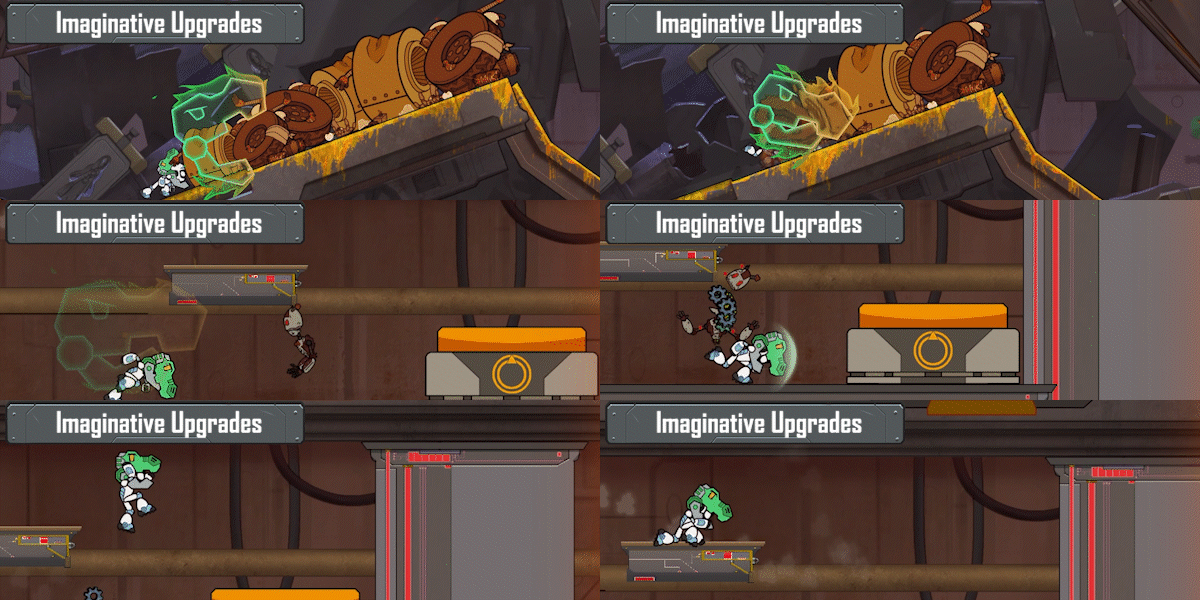
Use fun upgrades to defeat enemies and forge new paths.

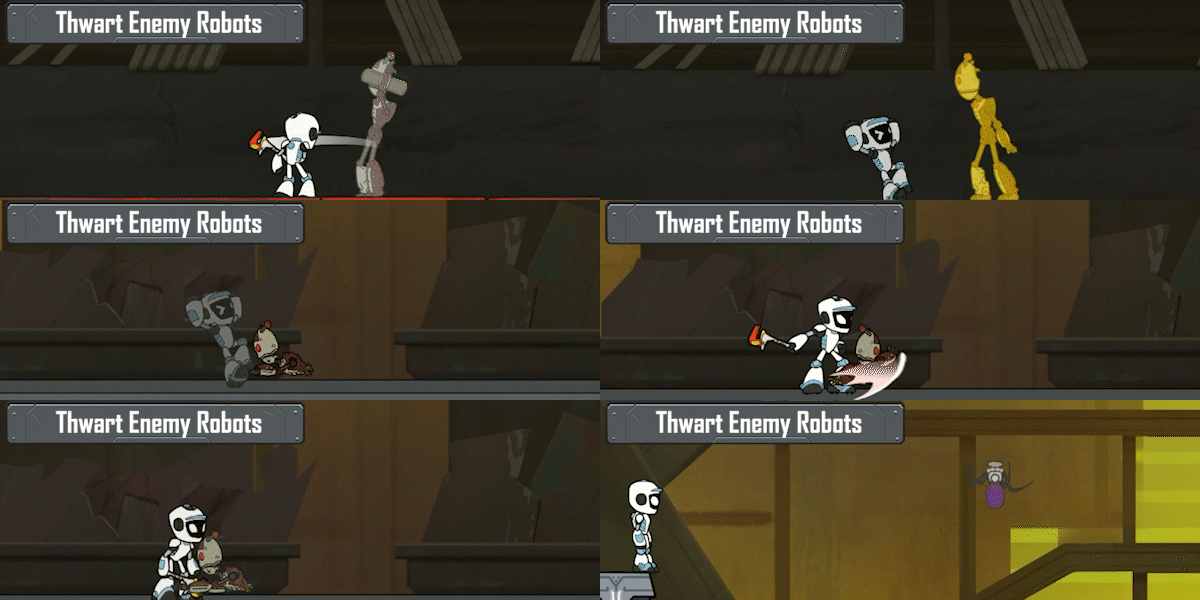
Fight off enemy robots and survive boss-bots.

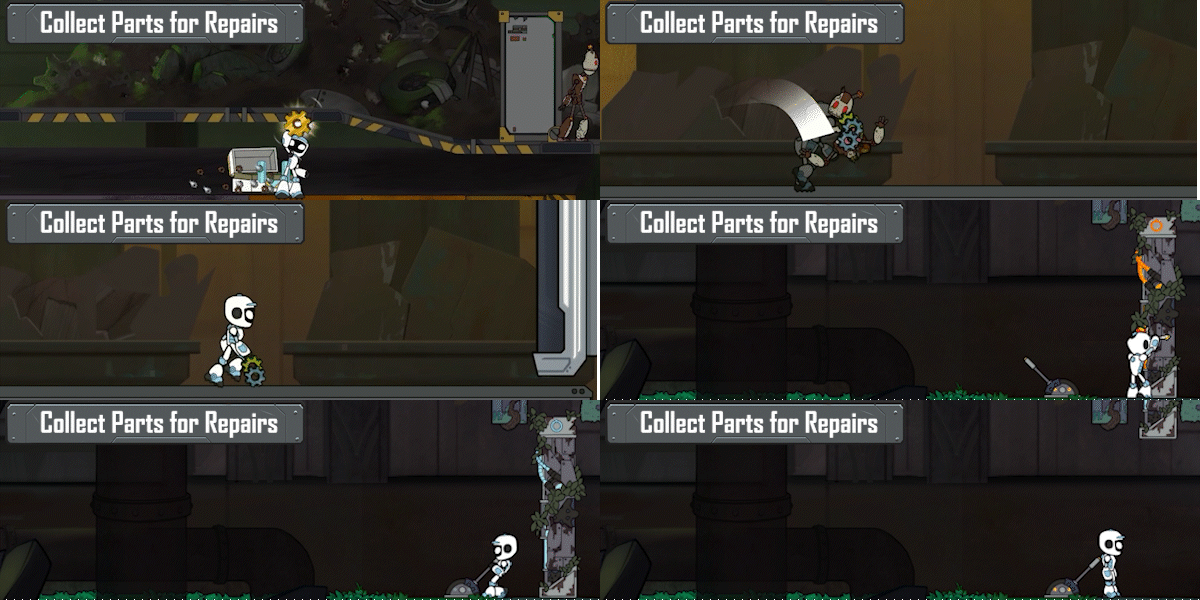
Collect parts to repair broken objects and craft new gadgets.

2025-02-25T09:35:24-05:00February 18th, 2025|Categories: Devlog|Tags: , , , , |0 Comments

Terrorformer TD Devlog #12: Adding Inter-Game Progression

This is the twelfth post in an ongoing series about the development of my thesis project, Terrorformer TD (formerly Clockwork TD).

I honestly spent more time thinking about whether this should be #12 or #1 after the game’s name changed from Clockwork TD… in the interest of keeping everything connected and searchable for posterity’s sake, we’ll continue the existing tag and the numbering and leave the taxonomy be (for now).

The final piece of getting the game to Alpha and having all systems implemented is making it into a true roguelike: having a player progression outside of the core gameplay loop that enables them to customize or upgrade their starting loadout, giving them a leg up at the start of new games. This is a milestone I’m excited to have reached; along with a Main Menu, Settings, and Loading/Saving individual game sessions, it’s one of those moments in a project where it feels like you’re working on actual game and not just tinkering with a core gameplay loop that’s fun.

As part of starting a new game, the player now customizes their Home Tower, having a direct impact on their game’s starting modifiers for things like projectile damage, tower range, or enemy speed. Home Tower parts are reflected in-game via unique models; players can even add a weapon to their Home Tower to help aid in the fight:

As part of the streamlining that I started with the terraforming (removing the Upgrade button and replacing it with the existing Tile Height Bonus system via Elevating tiles with towers), I also wanted to cut down some of the in-game player options in order to keep the attention on the core gameplay features. Instant Boosts were previously unlocked by Towers; the idea was that you would get a themed Instant Boost added to the available pool to go along with a tower (so something like all towers get the Ice/Slow effect for a round, unlocked with the Ice Tower). Spells were unlocked the same way as Towers; I considered bundling them with Towers for awhile, but decided against it while I kept the idea of fleshing out Spells further alive. With the Loadouts system, the player selects the available Instant Boosts and Spells to start the game with, allowing the Tech Tree window to become more readable (via their removal) and ensuring that the Spells are easier to find during the the heat of battle (by moving them into their own top-level menu):

Player experience is granted at the end of the game based on the number of rounds they survived and the difficulty they played at:

The final technical feature needed for Alpha is the Achievements system, which will also be used as the basis for Locking/Unlocking the player’s available Loadout components (when combined with their Level). After that, it will be my pleasure to start seeking out a wider audience of play-testers to provide feedback!

Soon!

2024-02-05T10:08:39-05:00January 27th, 2024|Categories: Devlog|Tags: , , , , , , , |0 Comments

Clockwork TD Devlog #11: New Year, New Features, New… Name?

This is the eleventh post in an ongoing series about the development of my thesis project, Clockwork TD.

Welcome back and happy new year! This year, my goal is to ensure I get at least one devlog written per project sprint; I’m just wrapping up spring 19, so I’m actually not too far behind the pace!

My final focus for Clockwork TD before declaring Alpha is creating a viable meta gameplay loop outside of the actual tower defense game. As a roguelike, the ability for players to earn & unlock new modifiers and abilities to strengthen their future playthroughs is a huge part of the game’s draw and replayability. When returning to the project after the holiday break, I started by mapping out, then creating a “New Game Options” menu for the player to use when starting a new session. I intended on doing this in Figma, but sketching it out once by hand was enough to envision what I wanted, when combined with the game’s existing UI framework:

Using the UI elements I designed for Unlockables in the game, I was able to create a data-driven screen for choosing the game’s difficulty (and later map mode):

In the below code, UnlockItem is the UXML element (deriving from Button) that is normally used to show Unlockables; ShowNewGameModal() is a utility modal that takes a set of clickable elements with delegates to fire for each, then wires them up and adds a wrapper command to close the modal when a choice is made.

protected override void OnScreenOpen()
    {
        base.OnScreenOpen();
        
        SetupDifficultyChoices();
        SetupMapChoices();
    }

    private void SetupDifficultyChoices()
    {
        // show the current difficulty, let us click on it to choose a new one 
        difficultyChoices.Clear();
        
        var difficulty = new UnlockItem();
        difficulty.Init(gameData.GameSetup.CurrentDifficulty);
        difficulty.SetUnlocked(true);
        difficulty.AddClickEvent(_ =>
            choicesModal.ShowNewGameModal(BuildDifficultyChoices(), "Choose New Difficulty",
                "Pick a difficulty from below:", SetupDifficultyChoices));
        difficultyChoices.Add(difficulty);
    }

    private IDictionary<UnlockItem, Action> BuildDifficultyChoices()
    {
        var unlockItems = new Dictionary<UnlockItem, Action>();
        foreach (var gameDifficulty in gameData.GameDifficulties.OrderBy(d => d.Order))
        {
            var choice = new UnlockItem();
            choice.Init(gameDifficulty);
            choice.SetUnlocked(gameDifficulty == gameData.GameSetup.CurrentDifficulty);
            unlockItems.Add(choice, () => gameData.GameSetup.CurrentDifficulty = gameDifficulty);
        }

        return unlockItems;
    }

When moving on to the map mode choices, as part of re-examining and refactoring my map generation logic, I ended up adding full on terraforming to the game:

This addition, while first and foremost being really freakin’ cool and fun to use (no duh, says Axon TD: Uprising), also helped slim down some other parts of the game. Undo was no longer an option because of the possibility of the map growing after sealing a spawn tile; the code challenge to command-ify that process so it could be reverted was too daunting, and so the entire Undo/command system was scrapped, with Undo All now simply loading the checkpoint from the beginning of the turn (great example of a seemingly unrelated system replacing another system seamlessly). Upgrade, a command that already didn’t really seem to have much of a place in the game (besides proving that you could), could now be scrapped in favor of Elevating a tile to boost the stats of the Tower on top.

Using the CursorState framework ended up making these additions fairly easy; each function (Elevate, Excavate, Seal) is assigned to its own button, so the logic for mousing over while in each mode is fairly straightforward. The most difficult logic, of course, is when running the Elevate function on a path tile in order to change the enemy path; this requires checking each of the possible spawn tiles and ensuring they all have viable paths to the home tower. This is computationally taxing to get done in a single frame while the mouse cursor is moving around, so keeping it in required a compromise to cap the number of spawn tiles for each ring between 4 and 6.

Of course, this rad new feature cause me to start thinking about the game’s name: Clockwork TD was always meant to evoke the way the spawners moved around the map sort of like of a clock (it also referenced the clock-based puzzle in the second Hunger Games book, which served as minor inspiration when I was trying to design the map/game progression). However, the term Clockwork really is inextricably associated with Steampunk culture at this point, and I feel like a game releasing with that name and no Steampunk elements runs the risk of being labeled misleading. Enter Terraformer TD! Or, once I realized the punny name had been right there for like 30 hours… Terrorformer TD!

The second half of the New Game Setup window will be coming soon, along with some final tweaks to the Post Round and Post Game screens to match. Once that’s complete, I’ll probably take one last wrap-up/review sprint and then I should be ready to officially launch the game’s Alpha and seek out wider playtesting feedback!

2024-01-27T10:51:57-05:00January 21st, 2024|Categories: General|Tags: , , , , , , , |1 Comment

Clockwork TD Devlog #6: Enemy Info

This is the sixthpost in an ongoing series about the development of my thesis project, Clockwork TD.

An important part of Tower Defense games is clearly communicating to the player the sort of threat they’re facing.

This would look better grouped, right?

It’d be great if the player could see even more info on the enemy, like Health, Speed, and any special abilities:

This was a short update, but I fell out of the habit over the last two months, so I needed to get these gifs out into the world! I may try to make this devblog more contemporaneous each week as part of my workflow, so let’s see how it goes 🫠

2023-09-11T18:24:52-04:00September 11th, 2023|Categories: Devlog, General|Tags: , , , |0 Comments

Clockwork TD Devlog #5: Terrain Bonuses

This is the fifth post in an ongoing series about the development of my thesis project, Clockwork TD.

Terrain bonuses, ala Rogue Tower, were something I decided I wanted early on in order to add to the randomness of each playthrough. Tiles are simply assigned a random TileBonus from 0-3 at creation, then moved up and color lerped in order to match, while the CursorState uses this Bonus value to generate the floating text on hover:

Bonus = Random.Range(0, 4);
transform.localScale = Vector3.one + Vector3.up * (Bonus * .5f + 1f);
var color = Color.Lerp(renderer.material.color, Color.white, Bonus / 5f);
renderer.material.color = color;

Stats in the game use the SeawispHunter.Roleplay.Attributes package, which provides an amazing framework for working with all sorts of RPG stats. The Tower Bonus is assigned at time of tower placement; this pattern is used for all Upgradeable stats throughout the game, allowing trickle-down from the Tower Setup to the individual tower level.

// add 1% to each stat for each level of tile bonus
TileBonus = new ModifiableValue<int>(0);
var rangeMod = TileBonus.Select(x => 1f + x / 100f);
AttackRange.modifiers.Add(Modifier.Times(rangeMod));
AttackSpeed.modifiers.Add(Modifier.Times(rangeMod));
AttackPower.modifiers.Add(Modifier.Times(rangeMod));

I had used Kryzarel’s CharacterStat framework in previous RPG stat projects, but found the SeawispHunter package at the start of this project. It’s really powerful and flexible, and highly recommended! Next time around, we’ll take a look at generating / showing the next enemy wave.

2023-07-18T16:57:05-04:00July 18th, 2023|Categories: Devlog, General|Tags: , , , , |0 Comments

Clockwork TD Devlog #4: Unlocks & Dynamic Build Menus

This is the fourth post in an ongoing series about the development of my thesis project, Clockwork TD.

One thing that I knew would be of huge importance before I even started designing my game was the UI. Many games in the Tower Defense genre focus on depth and breadth of systems in lieu of a coherent UI, which makes no sense — tower defense games are meant to suck the player in and keep them hitting the Next Turn button, so why would you not concentrate on creating as frictionless an experience for your player as possible? As such, I knew that designing the UI had to be a major part of the game, and not a bolted on afterthought. This sort of thinking is what led me use FSMs for GameState and CursorState, to ensure that I have the utmost control over the player’s game experience at any given time. My UI and my GDD were created in a back-and-forth iterative process, as I worked out gameplay ideas on paper and then tried to imagine how they’d translate to a UI in Figma.

By taking the time to create a full style & color guide from the beginning, it allowed me to very easily combine building blocks in Figma to create a coherent UI language.

Like the Command Manager, the Unlock Manager is another ScriptableObject, as it has no per-frame logic to execute. Unlockables are another abstract ScriptableObject class; by providing virtual methods for OnUnlock and OnReset, we can override UnlockableBase to Unlock all sorts of objects in the game, whether a Damage Bonus or New Buildable Tower:

public abstract class UnlockableBase : ScriptableObject
{
    public UnlockableBase LockedBy;
    public bool Unlocked;
    [SerializeField] private bool unlockedToStart;

    public bool Unlockable => !Unlocked && (!LockedBy || (LockedBy && LockedBy.Unlocked));
    
    protected abstract void OnUnlock();
    protected abstract void OnReset();
    
    public void UnlockItem(bool force = false)
    {
        if (!force && !Unlockable) return;
        
        Unlocked = true;
        OnUnlock();
    }

    public void ResetItem()
    {
        Unlocked = unlockedToStart;
        OnReset();
    }

    private void OnEnable()
    {
        ResetItem();
    }
}
public class UnlockableBuildable : UnlockableBase
{
    [SerializeField] private BuildableSetup buildableSetup;

    protected override void OnUnlock()
    {
        buildableSetup.Unlock(true);
    }

    protected override void OnReset()
    {
        buildableSetup.Unlock(Unlocked);
        buildableSetup.Reset();
    }
}
public class UnlockableTowerBonus : UnlockableBase
{
    [SerializeField] private BuildableSetup buildableSetup;
    [SerializeField] private BonusTypes bonusType;
    
    protected override void OnUnlock()
    {
        switch (bonusType)
        {
            case BonusTypes.Power:
                buildableSetup.PowerBonus.initial.value++;
                break;
            case BonusTypes.Range:
                buildableSetup.RangeBonus.initial.value++;
                break;
            case BonusTypes.Speed:
                buildableSetup.SpeedBonus.initial.value++;
                break;
            case BonusTypes.Health:
                buildableSetup.HealthBonus.initial.value++;
                break;
            case BonusTypes.Armor:
                buildableSetup.ArmorBonus.initial.value++;
                break;
            case BonusTypes.Shield:
                buildableSetup.ShieldBonus.initial.value++;
                break;
            default:
                throw new ArgumentOutOfRangeException();
        }
    }

    protected override void OnReset()
    {
        buildableSetup?.Reset();
    }
}

This lets us query our list of Unlockables to find out what’s Unlocked, what’s Unlockable, and what’s still Locked; which can then be used to create the build menu using UXML classes that inherit from Button to pass data:

void ToggleBuildMenu(ClickEvent evt, BuildableType buildableType)
{
	currentBuildableType = buildableType;
	secondContainer.Clear();
	buildableButtons = new List<BottomButton>();
	foreach (var buildableSetup in buildableType.GetBuildables(gameData.BuildableSetups))
	{
		var newButton = new BottomButton();
		newButton.Init(buildableSetup);
		
		newButton.AddClickEvent(BuildableButtonClicked, buildableSetup);
		if(!buildableSetup.Unlocked) newButton.SetEnabled(false);
		
		buildableButtons.Add(newButton);
		secondContainer.Add(newButton);
	}
	buildableTypeButtons.ForEach(b => b.EnableInClassList("active", false));
	buildableTypeButtons.FirstOrDefault(b => b.ButtonType == buildableType)?.EnableInClassList("active", true);
}

This same data can also be used to unlock new cards at the end of every round (more on this in a later post, covering card pack minimum rarity levels):

The damage numbers here showing off the game’s first splash damage projectile are created with a TMPro Billboard shader I found on github, combined with the rising number effect from Accumulus. The UnlockManager calls Reset on all Unlockables at the start of each new game, ensuring that all Unlockable items start each new game fresh.

By focusing on the end result I wanted the gameplay & UI experiences to have early on in the process, I was able to use my GDD and Figma to create a coherent, functional UI in my game even this early in the development process. Come back next time for info on terrain bonuses and the enemy wave info screen!

2023-07-14T19:48:40-04:00July 14th, 2023|Categories: Devlog, General|Tags: , , , , , , |0 Comments

Clockwork TD Devlog #3: CursorState FSM

This is the third post in an ongoing series about the development of my thesis project, Clockwork TD.

Rather than define separate game states Building, Moving, Selling, etc., I chose to create a separate FSM for the cursor state. Like the game states, each of the cursor states is strongly defined as a ScriptableObject:

[Header("Game States")]
public MainMenuState StateMainMenu;
public GameStartState StateGameStart;
public PlayerPreparationState StatePlayerPreparation;
public EnemyAttackState StateEnemyAttack;
public GameOverState StateGameOver;

[Header("Cursor States")] 
public CursorDefault CursorStateDefault;
public CursorBuilding CursorStateBuilding;
public CursorSelling CursorStateSelling;
public CursorMoving CursorStateMoving;
public CursorUpgrading CursorStateUpgrading;

This makes it easy to add new game & cursor states and also to access them from anywhere in the project.

The base CursorState includes abstract & virtual methods to override, depending on the desired behavior of the current state:

public abstract void TileClicked(Tile tile);
public abstract void TileEntered(Tile tile);
public abstract void TileExited(Tile tile);
public abstract void BuildableClicked(Buildable buildable);
public abstract void BuildableEntered(Buildable buildable);
public abstract void BuildableExited(Buildable buildable);

protected void Enter()
{
	if(gameData.CurrentCursor) gameData.CurrentCursor.Exit();
	
	gameData.CurrentCursor =  this;

	if (debug) Debug.Log(this + "::Enter() (" + gameData.CurrentCursor + ")");
	OnEnter();
	Entered?.Invoke();
}

protected virtual void OnEnter(){ }

private void Exit()
{
	if (debug) Debug.Log(this + "::Exit() (" + gameData.CurrentCursor + ")");
	OnExit();
	Exited?.Invoke();
}

protected virtual void OnExit(){ }

protected virtual void Cancel()
{
	gameData.CursorStateDefault.Enter();
}

As in the GameStates, CursorStates have Entered and Exited events that can be subscribed to, as well as OnEnter() and OnExit() methods for inheriting CursorStates to override. Buildable and Tile both implement the “IPointerClickHandler, IPointerEnterHandler, IPointerExitHandler” interfaces, calling back to the current CursorState during those mouse events. This allows the code for say, Building to be fairly straightforward (incomplete code but you can get the gist — oh I just got why github named it that):

public void SetNewBuildable(BuildableSetup newTower)
{
	currentBuildable = newTower;
	ShowInfoPanel(newTower);
	
	if (gameData.CurrentCursor != this) Enter();
}

protected override void OnEnter()
{
	base.OnEnter();
	
	InputManager.EscapePressed += Cancel;
	InputManager.RightClickPressed += Cancel;
}

protected override void OnExit()
{
	base.OnExit();
	
	HideGhostTower();
	HideBonusText();
	HideRangefinder();
	HideInfoPanel();
	currentBuildable = null;
	
	InputManager.EscapePressed -= Cancel;
	InputManager.RightClickPressed -= Cancel;
}

public override void TileClicked(Tile tile)
{
	if (currentBuildable.Cost > currentBuildable.Currency.Value) return;
	
	var buildCommand = new BuildCommand(currentBuildable, tile);
	gameData.CommandManage.AddCommand(buildCommand);

	HideGhostTower();
	HideBonusText();
	HideRangefinder();
	
	if(!InputManager.ShiftHeld) Cancel();
}

public override void TileEntered(Tile tile)
{
	
	ShowGhostTower(currentBuildable, tile);
	ShowBonusText(tile);
	ShowRangefinder(tile, currentBuildable.AttackRange.value * (1 + (tile.Bonus / 100f)));
}

public override void TileExited(Tile tile)
{
	HideGhostTower();
	HideBonusText();
	HideRangefinder();
}

public override void BuildableClicked(Buildable buildable) { }
public override void BuildableEntered(Buildable buildable) { }
public override void BuildableExited(Buildable buildable) { }

Here’s the initial results for the various states:

The Undo queue is a fairly simple Command Stack, with everything routing through a ScriptableObject CommandManager (for Managers that don’t require pertick functionality, I tend to take the extra step to make them ScriptableObjects). Here’s that class, along with the MoveCommand:

public class CommandManager : ScriptableObject
{
    public event Action QueueChanged; 
    public int Count => commandsBuffer.Count;
    private Stack<ICommand> commandsBuffer = new();

    public void AddCommand(ICommand command)
    {
        command.Execute();
        commandsBuffer.Push(command);
        QueueChanged?.Invoke();
    }
    
    // undoes the last command
    public void UndoCommand()
    {
        if(commandsBuffer.Count == 0) return;
        commandsBuffer.Pop().Undo();
        QueueChanged?.Invoke();
    }

    // undoes all the commands in reverse order
    public void UndoAllCommands()
    {
        if(commandsBuffer.Count == 0) return;
        while (commandsBuffer.Count > 0)
        {
            commandsBuffer.Pop().Undo();
        }
        QueueChanged?.Invoke();
    }

    // executes each tower's cleanup command and clears the stack to finalize the commands
    // (only used to cleanup after sell commands right now)
    public void FinalizeCommands()
    {
        while (commandsBuffer.Count > 0)
        {
            commandsBuffer.Pop().Commit();
        }
        ClearCommands();
    }

    public void ClearCommands()
    {
        commandsBuffer.Clear();
        QueueChanged?.Invoke();
    }

}
public interface ICommand
{
    void Execute();
    void Undo();
    void Commit();
}
public class MoveCommand : ICommand
{
    private readonly Buildable commandObject;
    private readonly Tile originalTile;
    private readonly Tile newTile;
    
    public MoveCommand(Buildable buildable, Tile original, Tile target)
    {
        commandObject = buildable;
        originalTile = original;
        newTile = target;
    }

    // move the Buildable, cleanup the Tile statuses
    public void Execute()
    {
        originalTile.MarkBuilt(false);
        commandObject.transform.position = newTile.GetTopOfTile();
        commandObject.HomeTile = newTile;
        commandObject.TileBonus.initial.value = newTile.Bonus;
        newTile.MarkBuilt(true);
    }

    // move the Buildable back, revert the Tile statuses
    public void Undo()
    {
        originalTile.MarkBuilt(true);
        commandObject.transform.position = originalTile.GetTopOfTile();
        commandObject.HomeTile = originalTile;
        commandObject.TileBonus.initial.value = originalTile.Bonus;
        newTile.MarkBuilt(false);
    }

    // no cleanup necessary
    public void Commit() {}
}

Stay tuned for the next installment, which will probably cover some UI elements.

Clockwork TD Devlog #2: Gameplay Progression & FSMs

This is the second post in an ongoing series about the development of my thesis project, Clockwork TD.

In the last entry, we covered A* Pathfinding for the enemies to find their way to the grid center (check out my Hex Grid Framework here). A major part of my thesis was a Tower Defense game where the enemy spawn point changed throughout the course of the game, requiring the player to counter that somehow. Using the Hex grid math I learned at redblobgames.com, I came up with a system where the spawner will move around each ring of the game map–similar to a clock–working its way from inside to out, giving the player the longer stretch of enemy path they’ll need as the game goes on and the number of enemies multiplies.

In this early version, the spawner simply lasts for one turn at each location, then the tile it’s standing on changes from a path tile to a buildable tile, giving the player an extra location to place a tower. When the spawn tile moves to a new ring, it spawns at the location closest to the last ring’s opening for the first round, to get the player acquainted to the change in the game.

I also built upon the camera system I created for Accumulus, which builds on Unity’s Cinemachine follow camera to move an invisible GameObject around the map with the player’s keyboard input. Here I added a mouse scrollwheel function for Zoom, which simultaneously moves the camera down and forward. Camera control is a huge sticking point for me in top-down games like this, so making sure I nailed my camera was very important to me. The camera control hooks into the GameState and CursorState systems to ensure it’s only active during the correct game phases.

The GameState and CursorState systems are both ScriptableObject-based FSMs; each State has Entered() and Exited() events that game managers and other objects can subscribe to, such as deleting all objects OnNewGameStart, or changing the bottom buttons (not shown yet in these gifs) when the player clicks the OnPlayerPrepared button to start the enemy attack phase.

public abstract class GameState : ScriptableObject
{
    public event Action Entered, Exited;
    [SerializeField] private bool debug;

    public void Enter(GameData gameData)
    {
        if(gameData.CurrentState) gameData.CurrentState.Exit(gameData);
        
        gameData.CurrentState = this;

        if (debug) Debug.Log(this + "::Enter() (" + gameData.CurrentState + ")");
        OnEnter(gameData);
        Entered?.Invoke();
    }

    public virtual void Execute(GameData gameData)
    { }

    protected virtual void OnEnter(GameData gameData)
    { }

    private void Exit(GameData gameData)
    {
        if (debug) Debug.Log(this + "::Exit() (" + gameData.CurrentState + ")");
        OnExit(gameData);
        Exited?.Invoke();
    }

    protected virtual void OnExit(GameData gameData)
    { }

    public void Return(GameData gameData)
    {
        gameData.PreviousState.Enter(gameData);
    }
}

By inheriting from the base state, strongly typed states can be defined that allow each state to have unique behavior and hold any necessary data. For example, the MainMenu state can automatically pause and resume the game when exited and entered:

[CreateAssetMenu (fileName = "State_MainMenu", menuName = "Game States/Main Menu", order = 51)]
public class MainMenuState : GameState
{
    private float oldTimeScale;
    
    protected override void OnEnter(GameData gameData)
    {
        base.OnEnter(gameData);
        
        oldTimeScale = Time.timeScale;
        Time.timeScale = 0;
    }

    protected override void OnExit(GameData gameData)
    {
        base.OnExit(gameData);
        Time.timeScale = oldTimeScale;
    }
}

In the next entry, I’ll cover how this same technique is used to define each of the states the game cursor can be in, which allows for straightforward, durable code flexible enough to handle Building, Moving, Selling, Upgrading, Hovering Over, and Clicking On the game’s Buildables.

2023-07-14T19:44:08-04:00July 10th, 2023|Categories: Devlog, General|Tags: , , , , , , , |3 Comments

Unity ScriptableObject-based Pooling Framework

Brief break from Clockwork TD devlog updates today, as I published my first Unity toolset on github! Over the past year, I’ve been using Unity’s Object Pooling feature, which is flexible and powerful, but requires a lot of boilerplate code to set up.

Around the time of Ron Swansong, I took the time to formally standardize my pooling code into a framework, which cut down my code repetition and codebase size nicely. With Accumulus, I kept tweaking and improving it, and finally after two months of development during Clockwork TD, the framework is ready to be shared with the world today.

It’s meant to be flexible but also lightweight, requiring just a few lines of code and two inheriting classes to get going. However, it allows you to override methods at every stage in the object pooling lifecycle, letting you use the framework in whatever way your project requires. Check it out and see what you think!

https://github.com/onewinter/ScriptObjPoolingFramework

2023-07-10T08:36:07-04:00July 9th, 2023|Categories: General|Tags: , , , , , |0 Comments

About My Work

Phasellus non ante ac dui sagittis volutpat. Curabitur a quam nisl. Nam est elit, congue et quam id, laoreet consequat erat. Aenean porta placerat efficitur. Vestibulum et dictum massa, ac finibus turpis.

Recent Works

Recent Posts